Examples
Word Cloud Examples: 8 Ideas You Can Copy
Eight real word clouds, each made in a few seconds with CloudMyWords, with the data behind it, the settings used and what the cloud actually tells you. Three of them open in the generator with one click so you can tweak them yourself.
In this gallery
- Customer feedback survey
- Classroom brainstorm
- SEO keywords by search volume
- A famous speech
- A whole novel
- Team retrospective
- Event feedback in one word
- Company culture survey
1. Customer feedback survey
The answers to an open question ("What do you think of our product?") pasted straight from a survey export. Each word is sized by how many times customers used it.
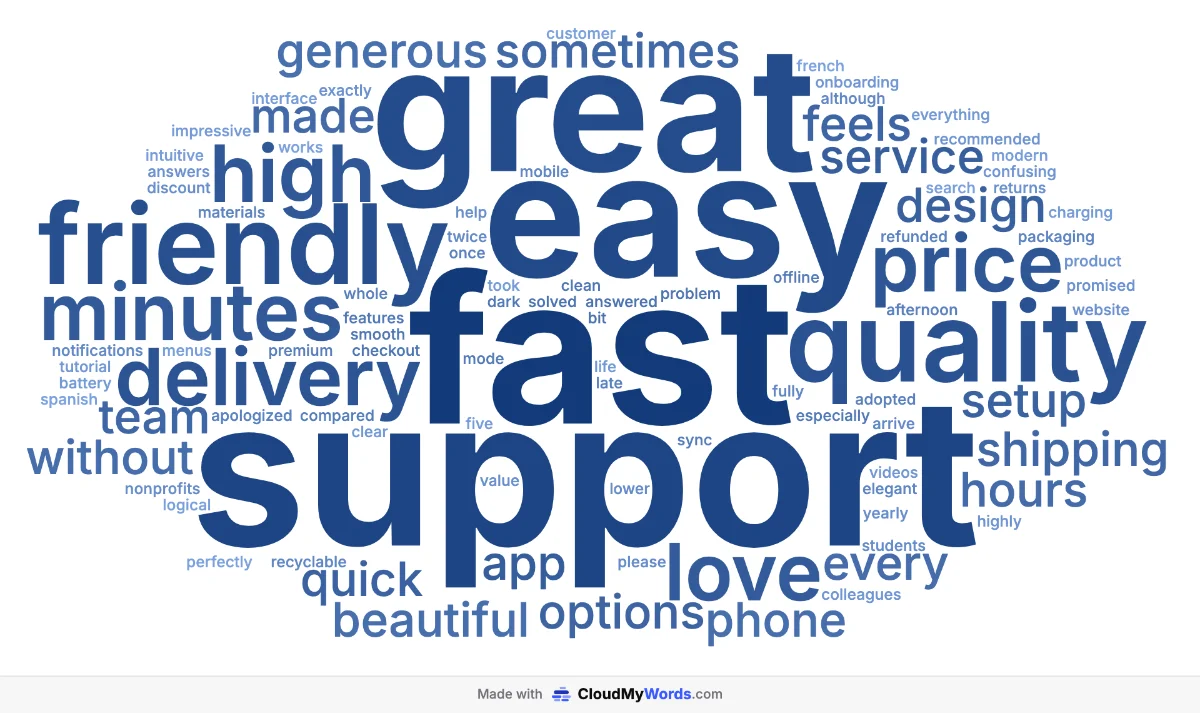
What it tells you: customers talk about the service (support, fast, delivery) more than the product itself, and "price" is big enough to deserve a closer look. A good opener for a feedback review before reading the full answers.
2. Classroom brainstorm
A class answered "What makes a great teacher?" and the teacher typed the answers into one block of text. Words picked by several students grow automatically.
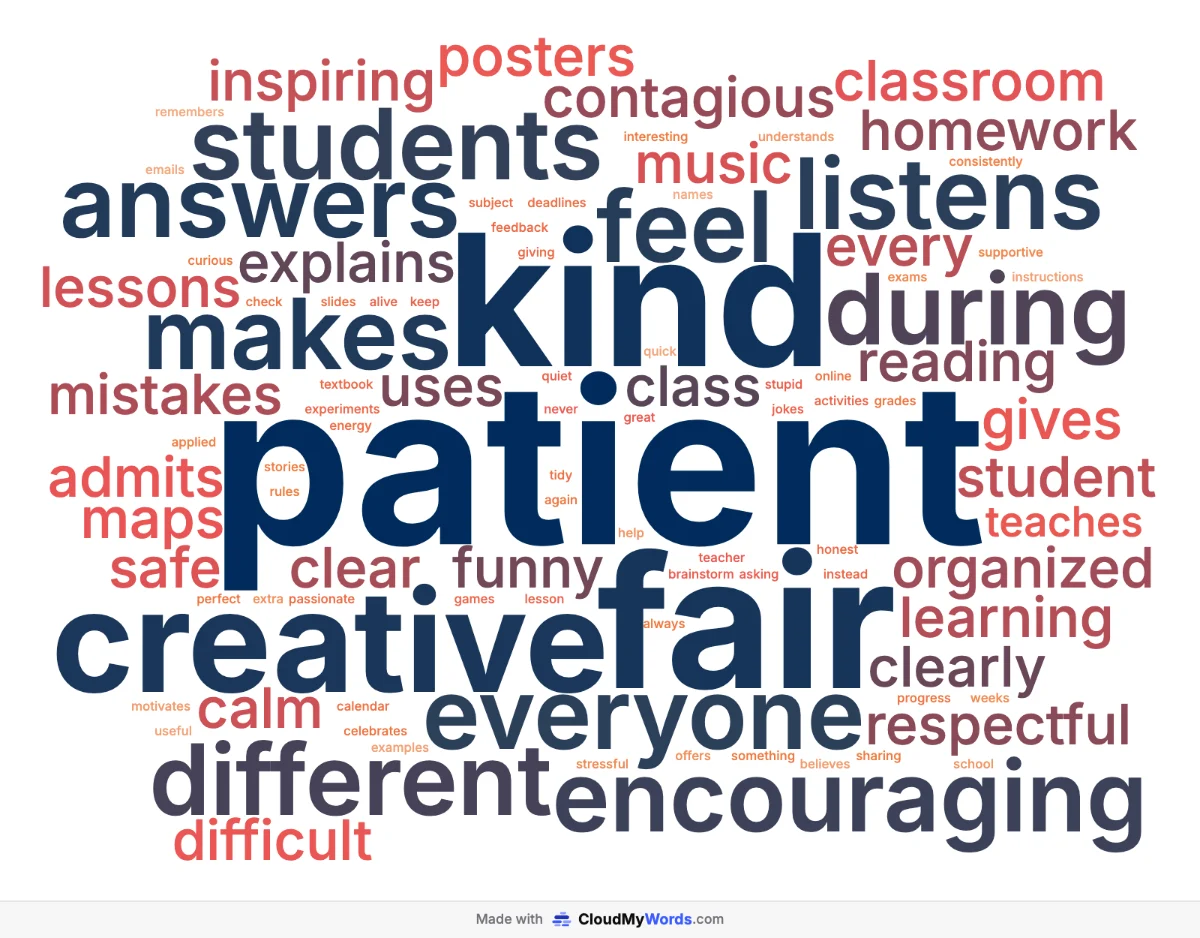
What it tells you: the class values patience, kindness, fairness and creativity over anything else, which makes a great starting point for a discussion or a class charter. More ideas in the guide for teachers.
3. SEO keywords sized by search volume
A keyword research export (CSV) with two columns: the keyword and its monthly search volume. Here the size comes from the number, not from repetition, so the most searched terms stand out.
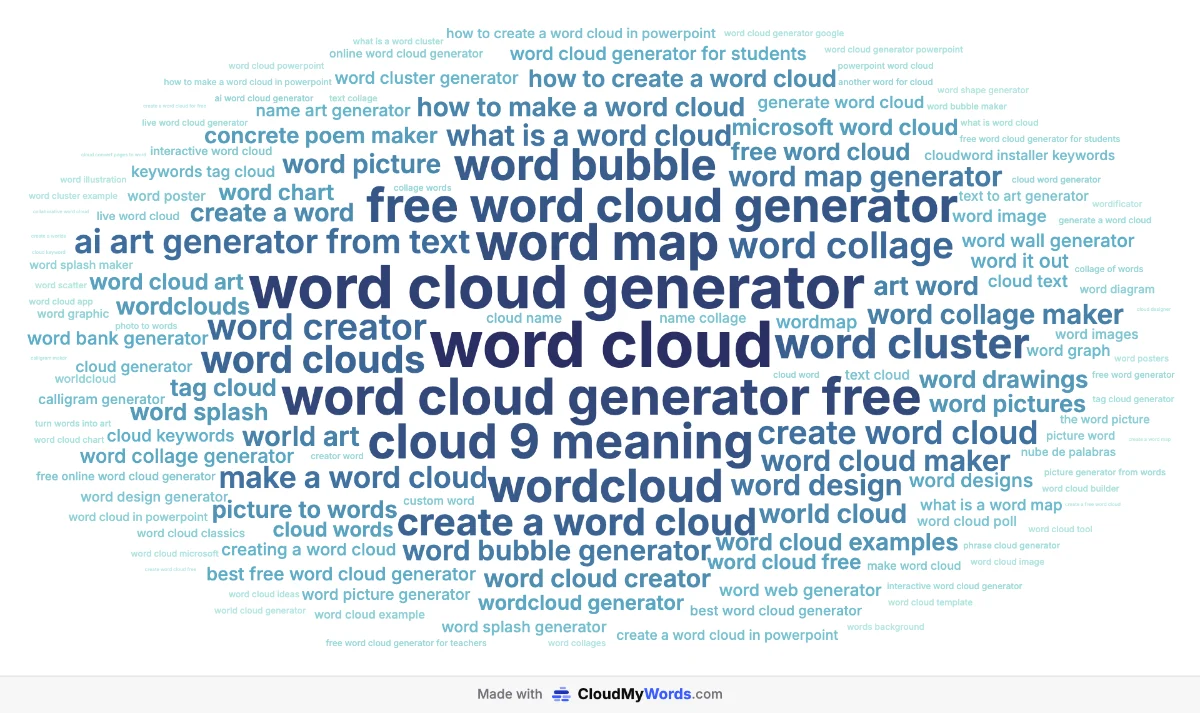
What it tells you: at a glance, which topics carry the demand in a niche. It works the same with sales by product, votes per option or mentions per brand. Step by step in how to make a word cloud from Excel or CSV.
4. A famous speech: the Gettysburg Address
Abraham Lincoln's 1863 speech (public domain, about 270 words) pasted as is. Short texts work well because almost every meaningful word fits.
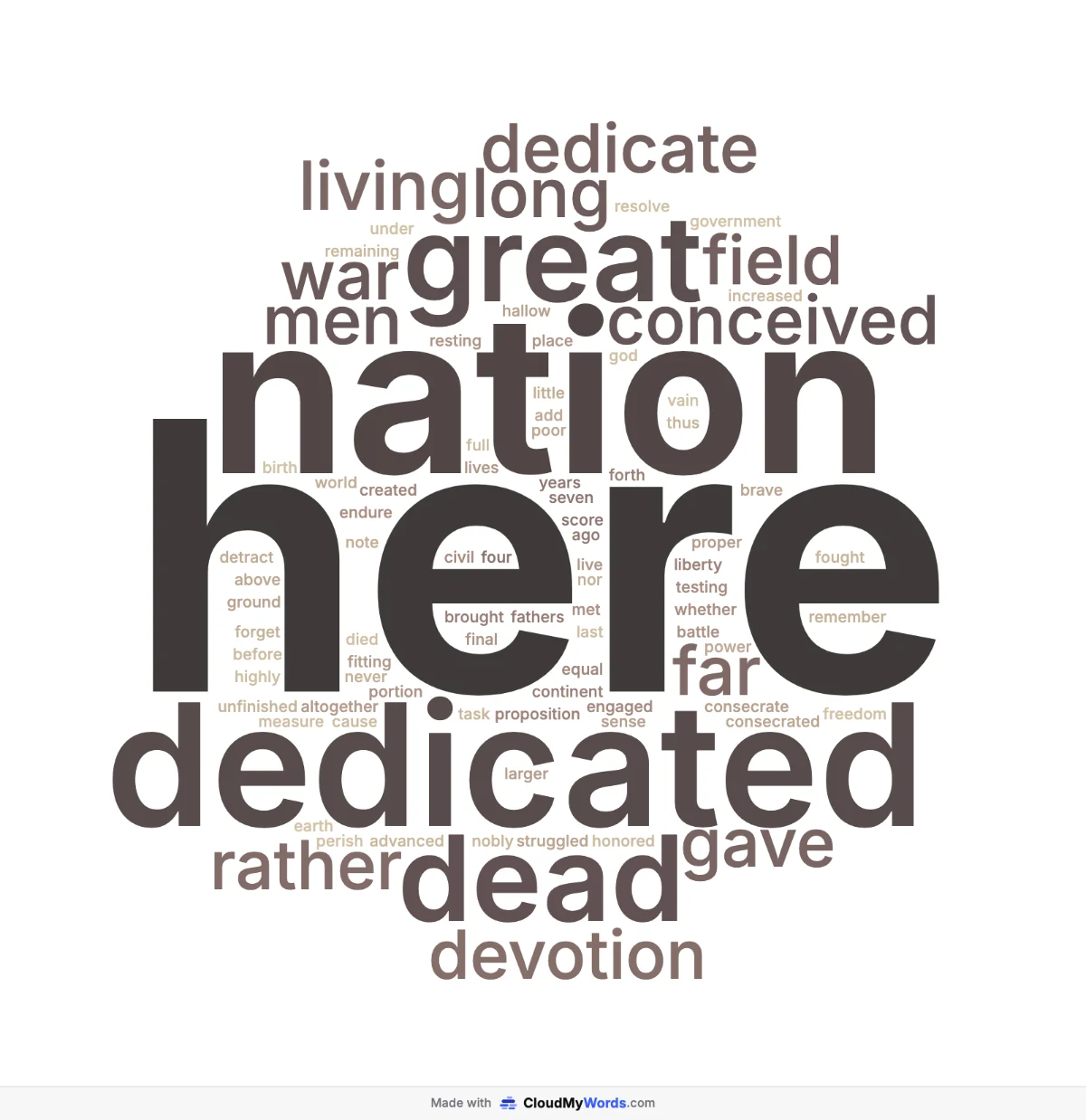
What it tells you: the repetition Lincoln used on purpose (dedicate, nation, here, dead) becomes visible instantly. Comparing two speeches side by side is a classic history or rhetoric exercise.
5. A whole novel: Pride and Prejudice
The full text of Jane Austen's novel (public domain, over 120,000 words) pasted in one go. Everything runs in the browser, so even a whole book takes a couple of seconds.
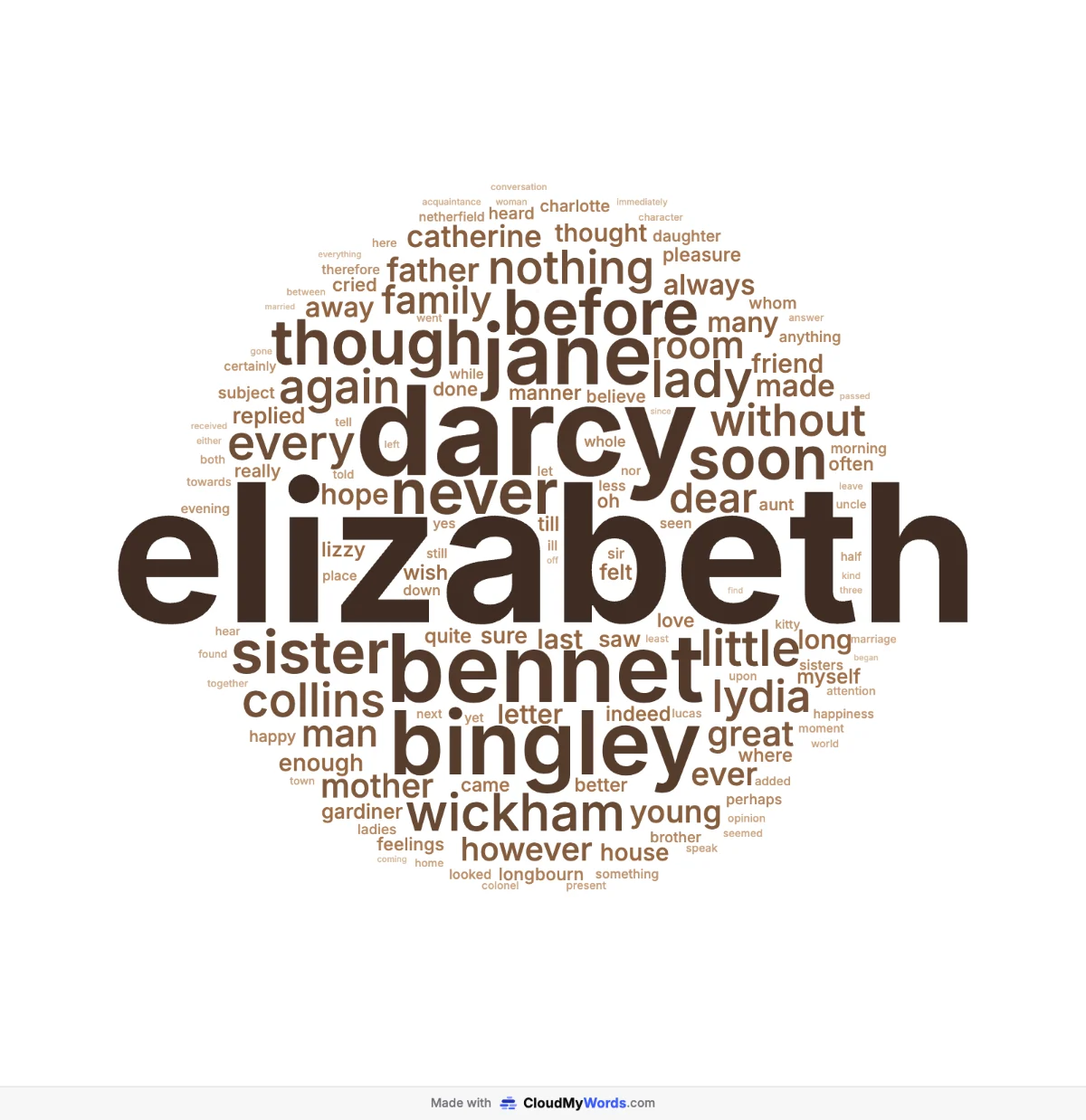
What it tells you: the main characters, in order of importance. The first version was dominated by "Mr", "Mrs" and "said", so they were removed with one click each. Hiding words like that is often the step that turns an obvious cloud into an interesting one.
6. Team retrospective
Sticky notes from a sprint retrospective ("What slowed us down?"), typed up one per line. Sample data written for this page.
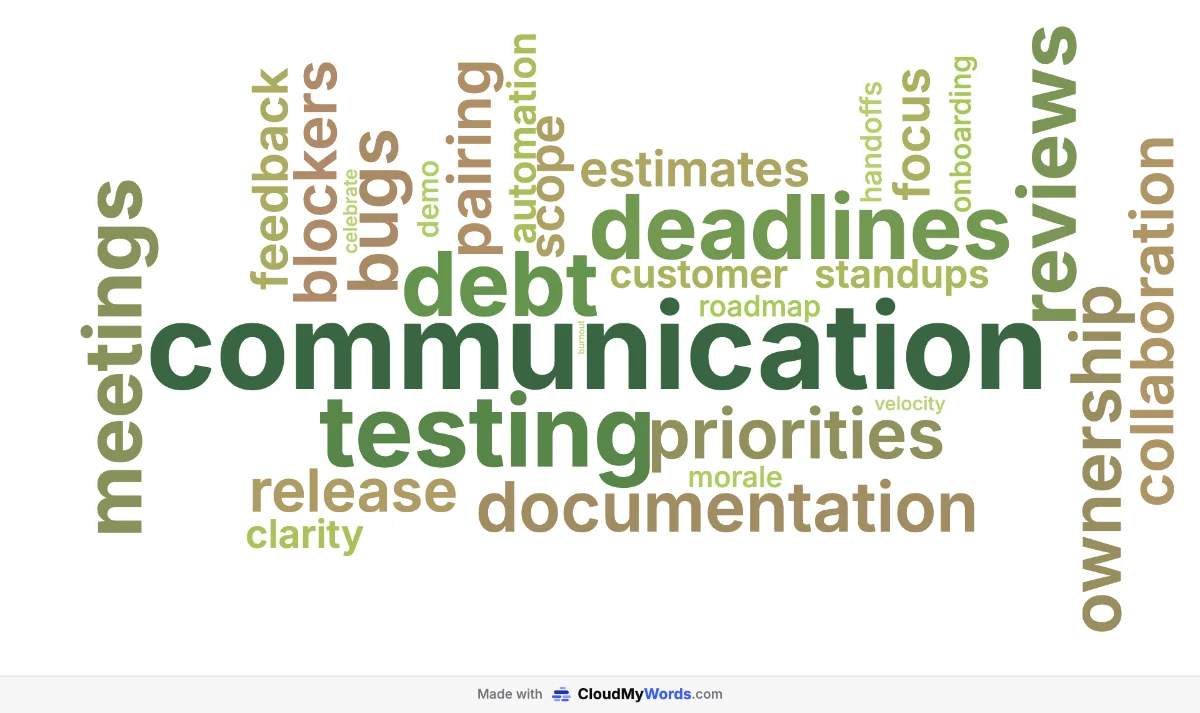
What it tells you: communication is the bottleneck, ahead of testing and deadlines. Put it on the screen at the start of the next retro and the team agrees on priorities in minutes.
7. Event feedback in one word
Attendees of a conference were asked to describe it in one word. With one-word answers, every repetition counts. Sample data written for this page.

What it tells you: the overall mood (inspiring, insightful, practical) and the small complaints (crowded, rushed) in a single image you can share with attendees and sponsors.
8. Company culture survey
Employees answered "Describe our culture in one word" in an internal survey. Sample data written for this page.
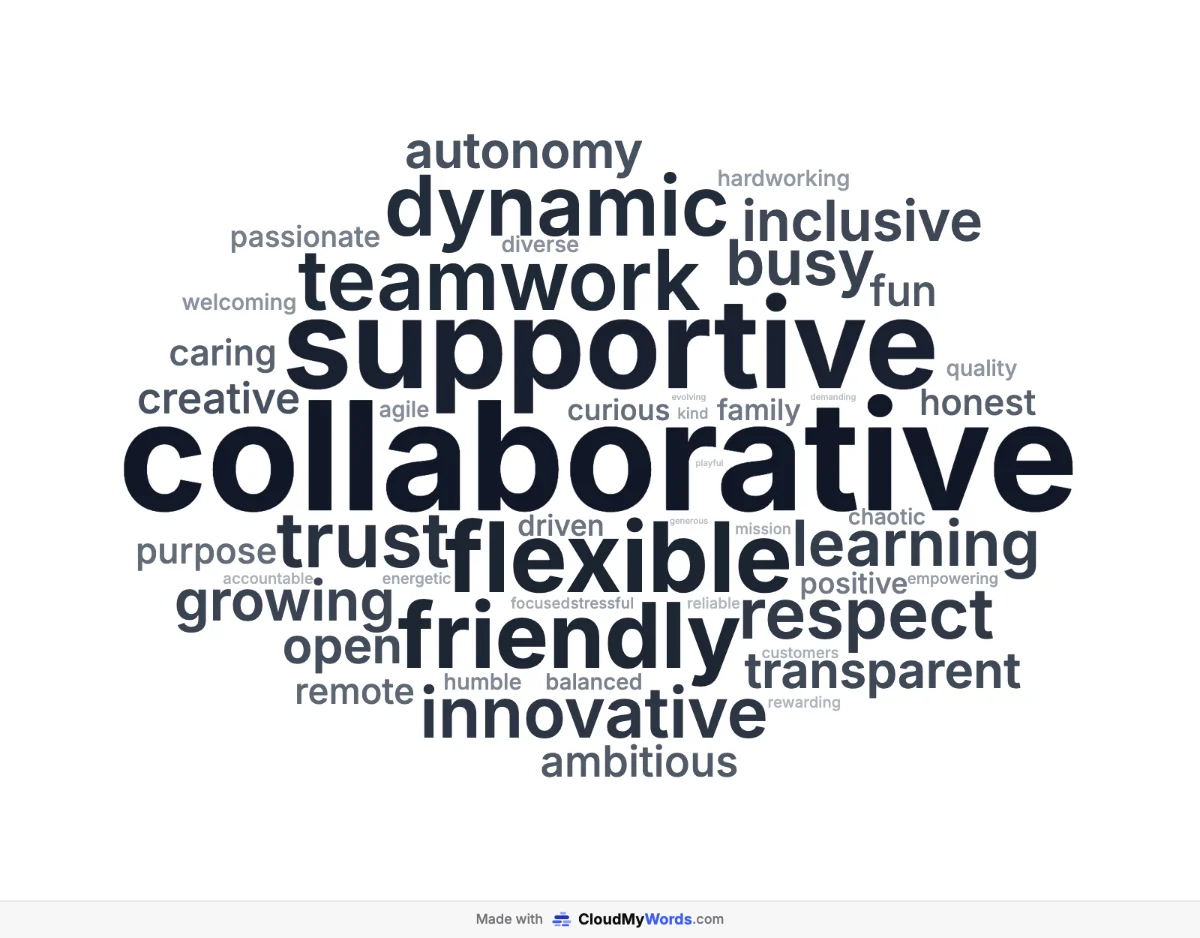
What it tells you: how people actually describe the company, including the less flattering words (busy, chaotic, stressful) that are easy to miss in a long spreadsheet of answers.
What makes a good word cloud
- Start from real answers, not a list you wrote. The value is in seeing what other people said and how often.
- Hide the obvious words. The name of your product, "Mr" in a novel or the question itself crowd out what matters. Click a word in the cloud to remove it.
- Use a number when you have one. Votes, sales or search volume tell a truer story than repetition. Upload a CSV or Excel file and pick the weight column.
- Pick the format for where it will live: 16:9 for slides, square for social posts, 9:16 for stories, 4:3 for documents and projectors.
- Keep it readable. 50 to 100 words is plenty for a slide; go to 150 or 250 only for long texts.
- Add context next to it. A word cloud shows what stands out, not why. A one-line caption or the exact numbers next to it make it far more useful. See what a word cloud is (and isn't) good for.
Frequently asked questions
Can I use these word cloud examples in my own work?
Yes. They were made with CloudMyWords from public-domain texts or sample data written for this page, so you can use them in slides, lessons or reports. Better still, make your own version with your data in a few seconds.
Why don't words like "the" or "and" appear in these examples?
Common filler words (stop words) are removed automatically, in the language you choose: English, Spanish, French or Portuguese. Otherwise "the", "and" and "of" would be the biggest words in almost every cloud.
Can a word cloud show a number instead of how often a word appears?
Yes. Upload a CSV or Excel file with one column of words and one of numbers (votes, sales, search volume) and choose the number column as the weight. The SEO keywords example on this page is made that way.
How many words should a word cloud have?
For a slide or a poster, 50 to 100 words is usually the sweet spot: enough to show variety, few enough to read. Use 150 or 250 words for long texts like a book or a big keyword list, where the long tail is part of the story.
Related guides
- What is a word cloud? How they work, when to use one and when not to.
- How to make a word cloud, the full walkthrough.
- Add a word cloud to PowerPoint or Google Slides.
Ready to make your own?
Make your word cloud, it's free