Guide
What Is a Word Cloud? Meaning, Uses and Limits
A word cloud is an image made of the words in a text, where the size of each word shows how often it appears, or how much it weighs according to a number such as votes or sales. The bigger the word, the more it matters in the data. It is also called a tag cloud, text cloud or word collage.
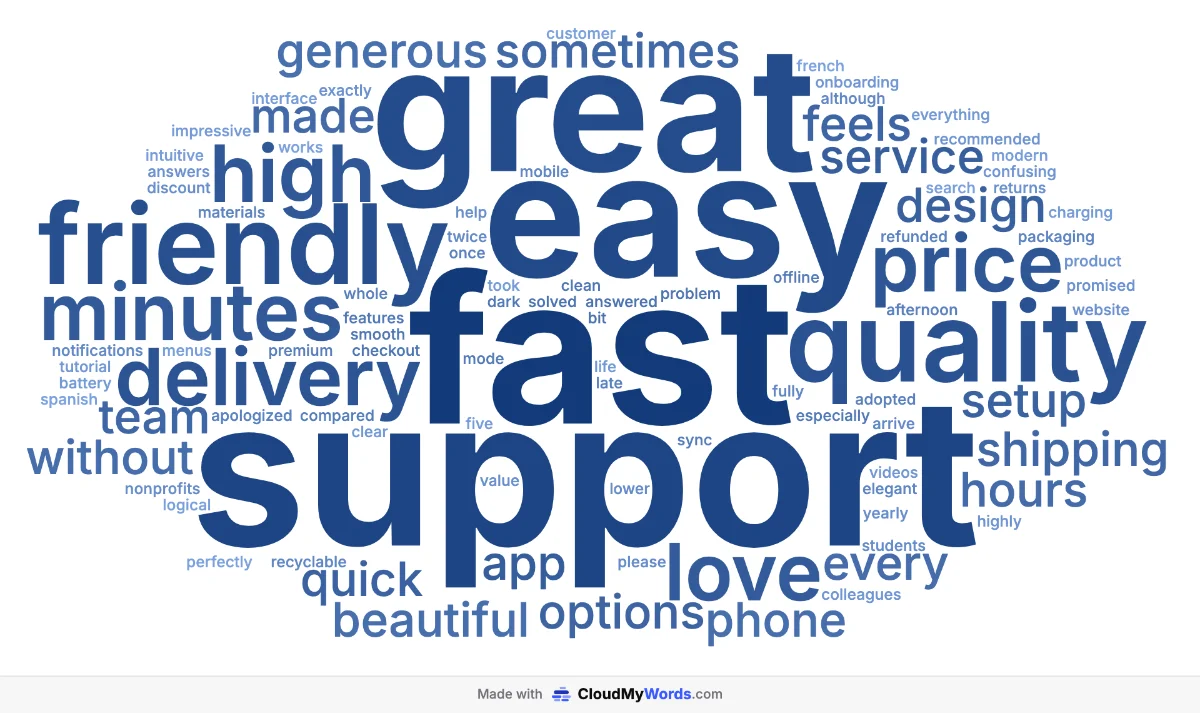
How a word cloud works
Every word cloud generator follows the same basic steps:
- Split the text into words. Punctuation is dropped and words are usually lowercased, so "Support" and "support" count as one.
- Remove stop words. Filler words like "the", "and" or "of" would otherwise be the biggest words in every cloud, so they are filtered out using a list for the text's language.
- Count or weigh each word. By default the weight is how many times a word appears. With a spreadsheet you can use a number instead: search volume, votes, sales, a score.
- Turn weight into font size. A linear scale keeps sizes proportional; a logarithmic or square-root scale tames one very dominant word so the rest stay readable.
- Place the words. Starting with the biggest, each word is put in the first free spot that fits, so the words pack together into a cloud shape without overlapping.
Word cloud, tag cloud, word map: what's the difference?
- Word cloud: any text or word list drawn with size by frequency or weight. The most common name today.
- Tag cloud: the original form on blogs and websites in the mid-2000s, a clickable list of tags or categories sized by how many posts used each one.
- Word map: sometimes used as a synonym; strictly it is a vocabulary diagram that connects a word with its meaning, synonyms and examples, which is a different tool.
- Word art / word collage: a decorative arrangement of words, often in a shape, where looks matter more than the data.
What word clouds are good for
- Open-ended survey answers: see the main themes in hundreds of responses before reading them one by one.
- Teaching: vocabulary walls, summarizing a reading, icebreakers and reflections. See ideas for the classroom.
- Presentations and reports: a visual summary on a title slide or next to the detailed numbers.
- SEO and marketing: a keyword list sized by search volume shows where the demand is. See word clouds from Excel or CSV.
- Texts and speeches: compare the vocabulary of two speeches, chapters or manifestos side by side.
- Brainstorms and retrospectives: turn sticky notes into a picture of what the group thinks.
You can see all of these in the word cloud examples gallery, with the settings used for each one.
Limitations: when not to use a word cloud
Word clouds are great for a first impression and poor at precision. Keep these limits in mind:
- No context or sentiment. "Price" can be big because people love it or hate it; the cloud can't tell you which.
- Long words look more important. "Communication" takes more space than "bug" at the same size, which skews the eye.
- Size is hard to compare exactly. Nobody can tell whether one word is used 40% or 60% more than another. Use a bar chart when exact differences matter.
- Related words are split. "Deliver", "delivery" and "delivered" are counted separately, and two-word phrases like "customer service" are broken up.
- Obvious words dominate. The name of your product or the words of the question itself often end up biggest. Remove them so the interesting words can show.
A good rule: use a word cloud to get attention and spot themes, and back it up with the numbers or a few real quotes.
How to read a word cloud
- Size is the message. Start with the three to five biggest words: they are the main themes.
- Color and position are usually decoration. Words next to each other are not related, and the center is just where the biggest words are placed first.
- Look at the mid-sized words too. The second tier often holds the surprises: the complaint nobody mentioned in the meeting, or the topic you didn't expect.
- Check what's missing. If a word you expected isn't there, that is also information.
A short history
Tag clouds became popular on websites in the mid-2000s, when photo and bookmarking sites such as Flickr and del.icio.us used them to show their most used tags. A few years later, free tools like Wordle (2008) turned the idea into a printable picture of any text, and word clouds spread to classrooms, presentations and newspapers. Today they are a standard way to summarize open text at a glance.
How to make a word cloud in 30 seconds
- Open the CloudMyWords generator and paste your text, or upload a CSV, Excel, TXT or Word file.
- Click Generate word cloud, then adjust the palette, font, format and shape. Click any word to remove it.
- Click Download PNG or Copy image and paste it into your slide or document.
It is free, needs no account and the text never leaves your browser. The full walkthrough is in how to make a word cloud.
Frequently asked questions
Is a word cloud the same as a tag cloud?
Almost. A tag cloud was originally a list of website tags or categories, each sized by how many posts used it and usually clickable. A word cloud applies the same idea to any text or list of words. Today the two names are used interchangeably, along with word collage, text cloud and word art.
Does the color of a word mean anything?
Usually not. In most word clouds, including CloudMyWords, size carries the meaning and color is a design choice. Some palettes darken the biggest words to reinforce their weight, but you should not read color as a second variable unless the chart says so.
Does a word's position in the cloud mean anything?
No. Words are placed wherever they fit, usually starting with the biggest near the center. Two words sitting next to each other are not related, and shuffling the layout does not change the data.
Are word clouds useful for data analysis?
They are useful for a first look and for communicating a general impression, for example the main themes in hundreds of survey answers. They are not precise: for exact comparisons, sentiment or context, use a bar chart of the top words or read the answers themselves.
How do I make a word cloud for free?
Paste your text or upload a CSV, Excel, TXT or Word file into CloudMyWords, click Generate, adjust colors, font and shape, and download a PNG. It is free, needs no account and the text never leaves your browser.
Related guides
- Word cloud examples: 8 real clouds and the settings behind them.
- How to make a word cloud, step by step.
- Add a word cloud to PowerPoint or Google Slides.
Ready to make your own?
Make your word cloud, it's free